Authentication
This guide walks you through setting up OAuth Server-to-Server credentials in Adobe Developer Console and generating an access token. At the end you will have an ACCESS_TOKEN ready to authenticate all Brand Intelligence API requests.
data-variant=info
data-slots=text
Prerequisites
- An organization with access to Adobe Brand Intelligence.
- An Admin Console administrator who can add you as a developer on a product profile.
Gain developer access
Before creating integrations on Adobe Developer Console, your account must have developer access in Adobe Admin Console.
- Identify an Adobe Admin in your organization. This may be as simple as checking the notes in your Adobe account, or you can ask your Adobe solution consultant for the appropriate contact.
- Ask the Admin to set up either System Administrator or Developer roles for users who need to generate API keys.
- Alternatively, ask your Admin to generate the keys if they prefer not to elevate roles.
- Once assigned as a developer, you can create integrations in Adobe Developer Console. These integrations connect external apps and services to Adobe APIs.
Set up API credentials
The following steps walk you through setting up OAuth Server-to-Server credentials for Brand Intelligence.
Step 1: Access Developer Console
API setup is done through Adobe Developer Console.
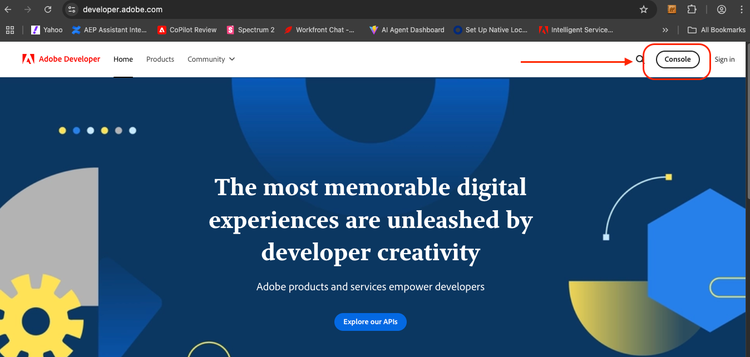
Step 2: Create a project
After logging in, create a new Project. Projects group related integrations and API clients.
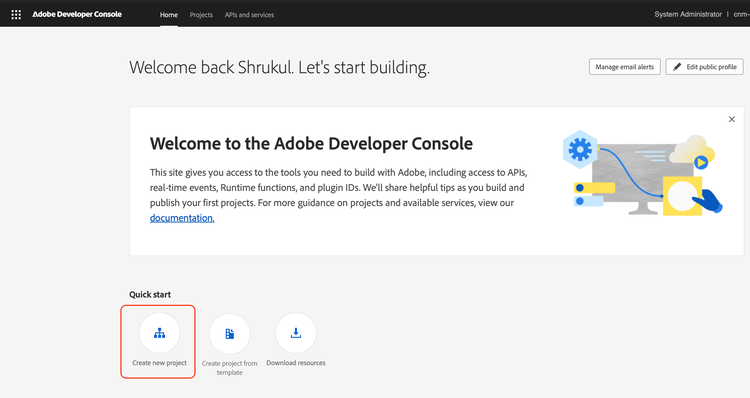
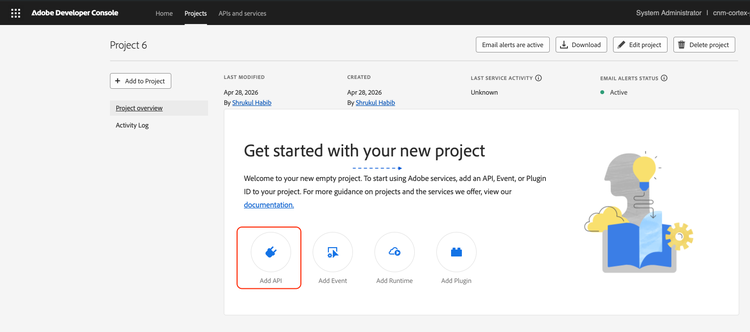
After creating a project, select Add API.
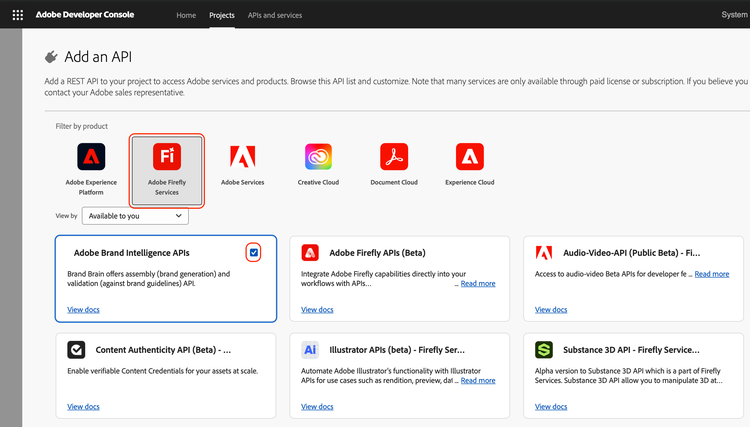
Adobe Brand Intelligence APIs are listed under the Adobe Firefly Services category as Adobe Brand Intelligence.
Step 3: Configure OAuth Server-to-Server credentials
Select the OAuth Server-to-Server credential type. Give your credential a meaningful name and select Next.
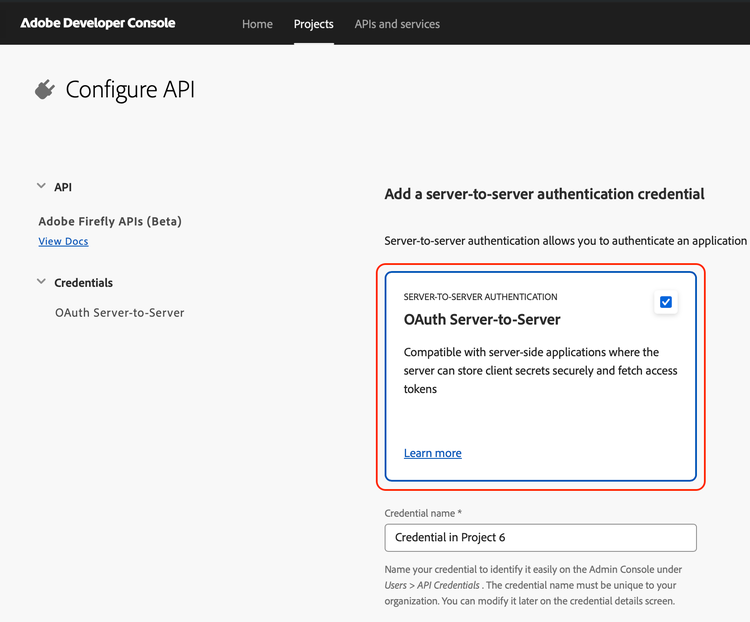
Your new credential is now listed in the project.
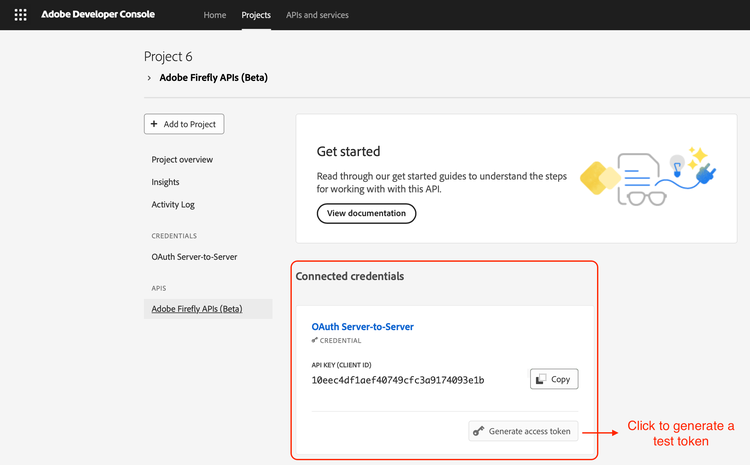
Select the credential to view its details, including your Client ID and Client Secret.
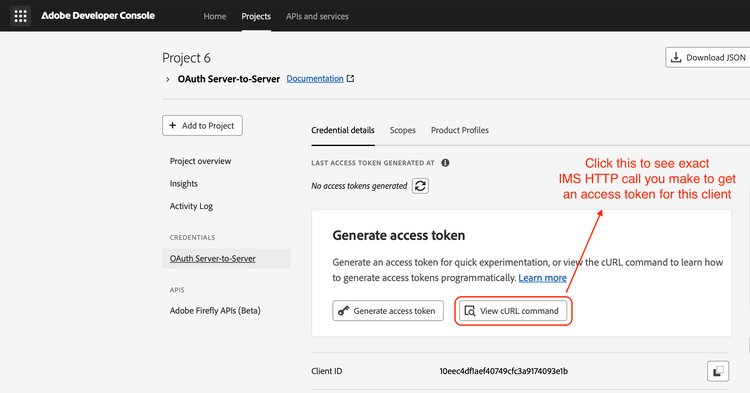
Generate an access token
With your credentials in hand, request a token from Adobe IMS:
export CLIENT_ID=<your_client_id>
export CLIENT_SECRET=<your_client_secret>

curl --location 'https://ims-na1.adobelogin.com/ims/token/v3' \
  --header 'Content-Type: application/x-www-form-urlencoded' \
  --data-urlencode 'grant_type=client_credentials' \
  --data-urlencode "client_id=$CLIENT_ID" \
  --data-urlencode "client_secret=$CLIENT_SECRET" \
  --data-urlencode 'scope=openid,AdobeID'
Example response:
{
  "access_token": "eyJhbGciOiJSUzI1NiIsIng1dSI6...",
  "token_type": "bearer",
  "expires_in": 86399
}
Export the token for use in subsequent requests:
export ACCESS_TOKEN=<access_token_from_response>
Tokens are valid for 24 hours (expires_in: 86399 seconds). Implement a refresh mechanism to request a new token before the current one expires.
Make authenticated requests
Include the token in every Brand Intelligence API request:
--header "Authorization: Bearer $ACCESS_TOKEN"
Brand Intelligence resolves your tenant and permissions from the token. There is no separate API key.
data-variant=warning
data-slots=text