To get API authentication credentials and tokens, create an Adobe developer project to enable communication between your Commerce project and Merchandising Services APIs.
data-variant=info
data-slots=text
-
Log in to the Adobe Developer Console.
You can also access the Developer Console from the Get Credentials section of the Data Ingestion API Reference. If you use this method, you are automatically directed to the correct organization. You can complete the process to create credentials and generate an access token from there.
-
Select the Experience Cloud Organization for the integration.
-
Create an API project.
-
Add the Adobe Commerce Optimizer Ingestion API to your project. Then, click Next.
-
Configure the Client ID and Client Secret credentials by selecting the OAUTH Server to Server Authentication option.
-
Click Save configured API.
-
-
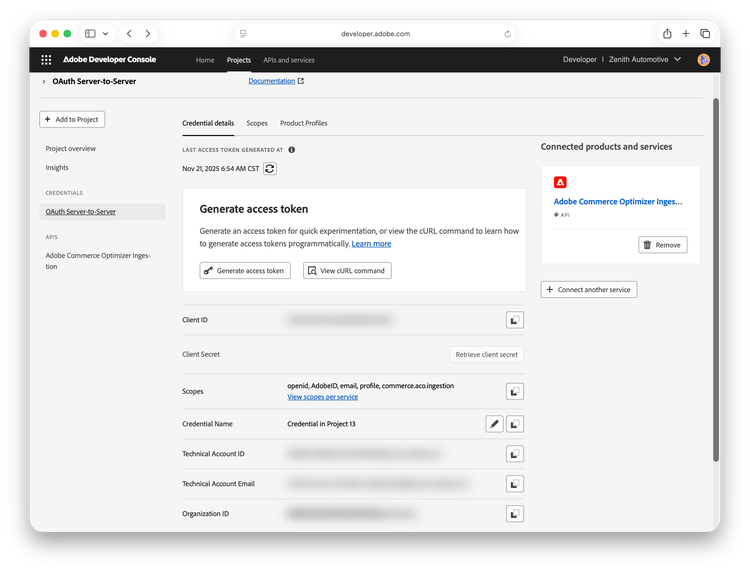
In the Connected Credentials section, view API configuration details by selecting OAUTH Server-to-Server.
-
Copy the Client ID and the Client Secret values to a secure location.
You use these values to refresh expired bearer tokens.
-
Get the bearer access token.
-
Select Generate Access Token.
-
Save the bearer token to a secure location.
The bearer token is valid for 24 hours. You can use the same bearer token for all API requests until it expires.
-