Adobe I/O Events Subscriber Defined Filtering
Adobe I/O Events Subscriber Defined Filtering (SDF) empowers you to create custom filters that specify exactly which events you want to receive. Instead of receiving all events for a given event type, you can now define precise filtering criteria using JSON-based filter definitions, allowing you to reduce noise and focus on the events that matter most to your application.
By leveraging this feature, you can significantly reduce the number of irrelevant events your application receives, improving performance and reducing costs associated with processing unwanted events.
What is Subscriber Defined Filtering?
SDF allows you to specify custom filter criteria for each event registration. These filters are evaluated on Adobe’s servers before events are delivered to your webhook or journal. You only receive events that match your filter, reducing the need for post-processing and minimizing unwanted traffic.
Key benefits include:
- Reduced Event Volume: Only receive events that match your specific criteria, filters are applied on Adobe's servers
- Cost Optimization: Lower processing costs by filtering out irrelevant events at the source
- Improved Performance: Reduce network traffic and application load
data-src=../../common/sdf-getting-started.md
Creating Your First Filter
Best Practices
Filter Design
- Start Simple: Begin with basic filters and gradually add complexity
- Test Thoroughly: Always validate filters before deploying to production. Remember that the filter will be applied to all delivery methods, journal included.
- Use Specific Patterns: More specific filters are generally more efficient
- Consider Performance: Complex filters may impact processing time, so do not add unneed operators in your definitions.
Error Handling
- Invalid filter syntax will return a 400 error with a detailed explanation to guide you to resolution.
- Use the validation endpoint to catch issues before deployment
Output Event Format
Events that pass your subscriber filters maintain the same format as unfiltered events, they are not modified (Cloud Events).
Troubleshooting
Common Issues
Filter Not Working
- Verify the filter syntax is valid JSON. See Restrictions
- Check that field names match the event payload structure
- Ensure the filter logic matches your intended behavior. See Practical Filter Examples
Performance Issues
See DSL Best Practices:
- Simplify complex filters
- Avoid overly broad pattern matching
- Consider breaking complex filters into multiple simpler ones
Validation Errors
- Review the error message for specific syntax issues
- Use the validation endpoint to test filters
- Verify that sample events match your expected payload structure
Support
- Check the Adobe Developer Community forums
- Contact Adobe Developer Support
Migration Guide
If you're currently using event type filtering only, here's how to migrate to subscriber defined filtering:
- Analyze Current Usage: Identify which events you currently discard in your application
- Design Filters: Create filters that match only the events you actually process
- Test Filters: Use the validation endpoint to ensure filters work correctly
- Deploy Gradually: Start with non-critical registrations to test the functionality or create a copy registration and use the Journalling API to check for the correct logic of your filter without incurring additional infrastructure costs
- Monitor Performance: Watch for any impact on event processing times.
This approach ensures a smooth transition while maximizing the benefits of more precise event filtering.
In case your registration is not compatible with SDF
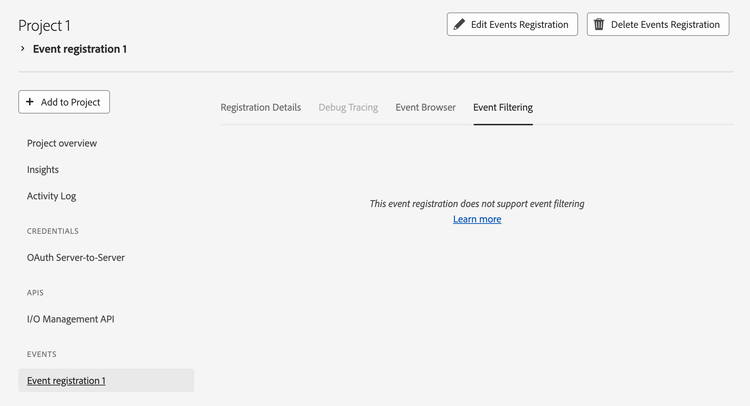
Mixed delivery formats in the Registration (Cloud Events and Adobe I/O)
You can split the registration and move all Adobe I/O event deliveries to a separate registration. Now you can add a SDF for all events in Cloud Events format.
AWS EventBridge enabled registrations
We currently do not support registrations delivering events to EventBridge to add SDF. Please add the filtering logic in AWS.