Build creation directly into your product.
Embed Adobe Express editing and AI capabilities into your website or app so users can create on-brand content from day one with templates, brand kits, and commercially safe AI.

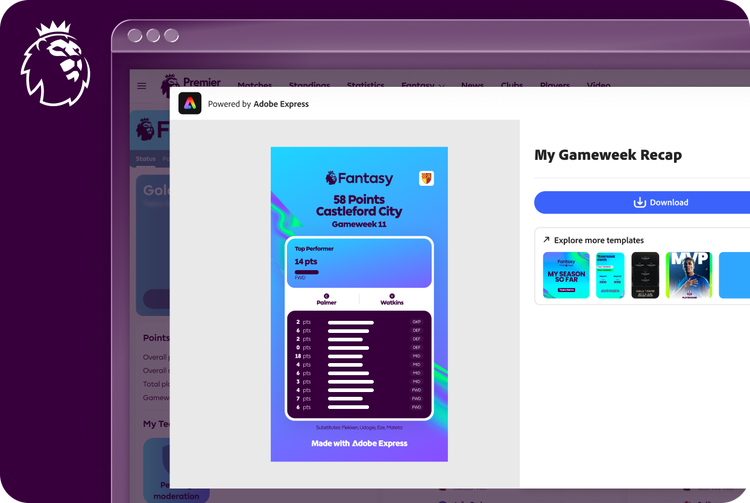
Trusted by partners at scale.
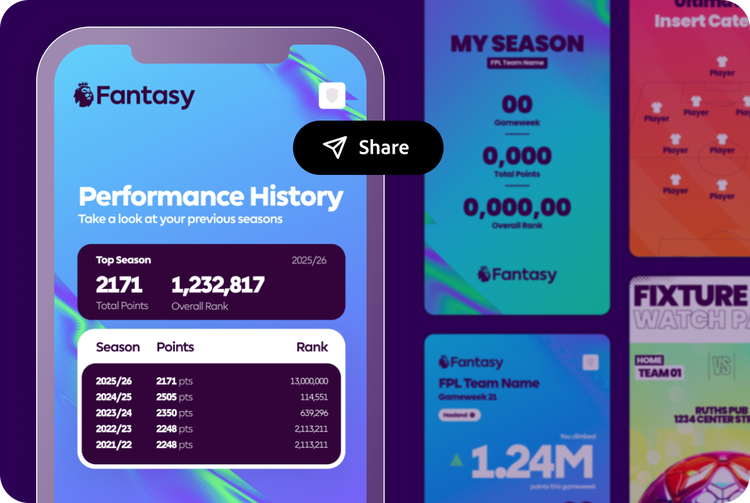
Driving fandom at scale, 12M+ Fantasy Premier League fans can create custom badges and share gameweek recaps from the Premier League app, powered by Adobe Express Embed SDK. Fans can also explore exclusive Adobe Express templates to share predictions, top players and more.

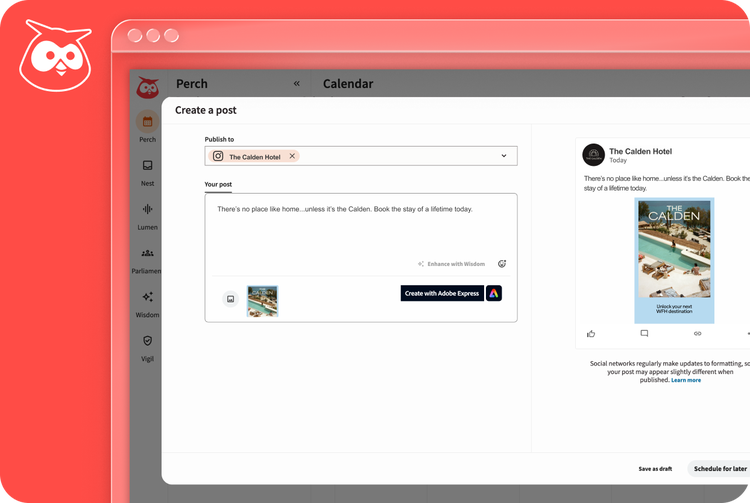
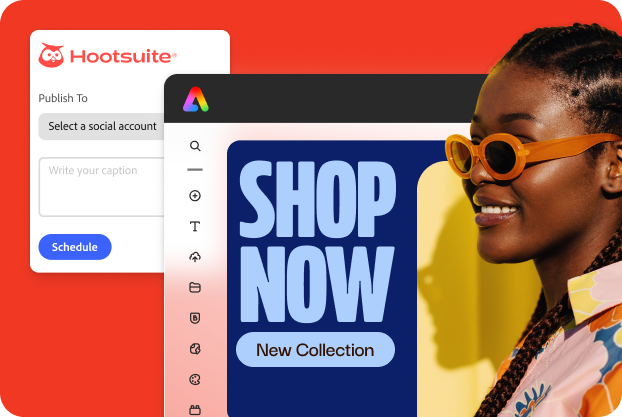
Hootsuite
Achieving brand consistency in the same workflow, Hootsuite users can create social content with Adobe Express templates, brand kits, and built-in editing in its Composer with the Embed SDK. In Adobe Express, the Hootsuite add-on lets users schedule, publish, and view content directly on the canvas.

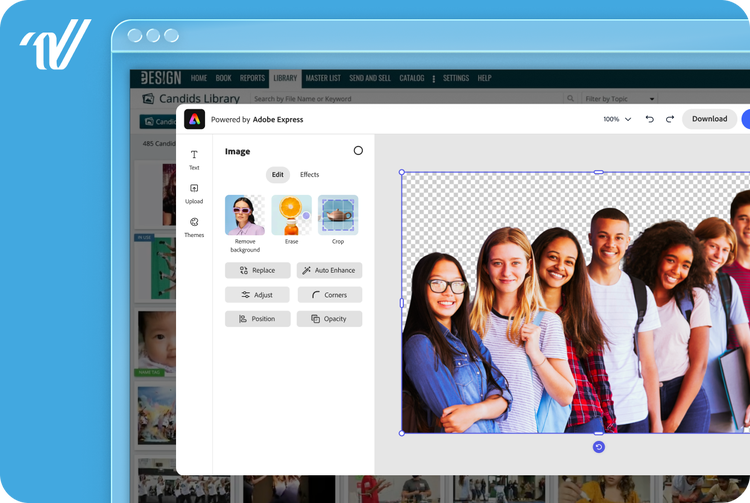
Varsity
Elevating yearbook print production, Varsity users can design print-ready pages in eDesign with the Adobe Express Embed SDK. Students and teachers can enhance and edit photos, add design elements, and customize pages with the Adobe Express editor, configured for high-quality print.
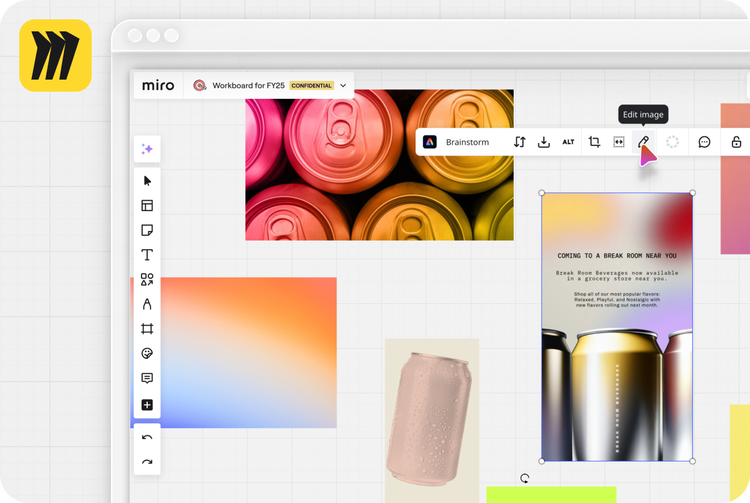
Miro
Helping teams innovate faster, Miro embeds the full Adobe Express editor directly into its canvas through the Adobe Express Embed SDK. Anyone can use on-brand templates and brand kits inside the workspace where they already plan and collaborate. A seamless workflow helps teams focus on the work and reduce time-to-market.

Adobe Express is built for how your business works.
A creation layer that fits your product needs.
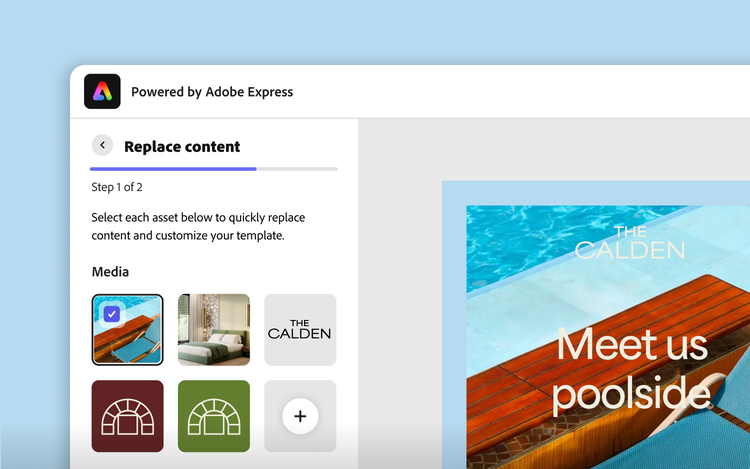
Configure the Embed SDK to fit your product, from quick, focused actions for tasks to a full-featured editor when users want to customize more. You shape the experience and tailor it to your specific needs.
Deepen and drive engagement at scale.
Unlock new engagement paths like customers customizing content, teams collaborating on assets, users personalizing what they share — all where they already are. The tools are built, so you don’t have to start from scratch.

Empower teams to create on-brand.
Pair the Embed SDK with the Express API to generate hundreds of assets with brand consistency checks and guardrails built in, then let users make customizations before publishing.
Give your users the tools to create.
Choose how users create and edit in your app. Interactive configurations let them start from an image, template, or video, available as a full editor, a focused module, or a quick action. You can also pair the Express API with the Embed SDK to generate on-brand content at scale.
Automate content at scale
Produce on-brand content and embed creation workflows using Express APIs. Users can easily view, customize, and share.
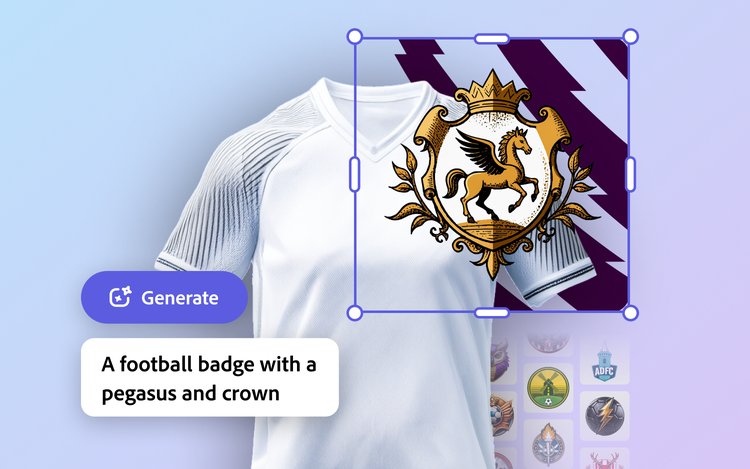
Generate and edit image
Start with an image or generate one with AI. Then add text, shapes, or other assets to make it your own.

Edit videos in-app
Add captions and edit videos with tools like trim, resize, merge, and crop.

Browse and customize templates
Choose from thousands of Adobe Express templates to create on-brand content.
Create with enterprise security in mind.

Commercially safe AI
Firefly generative AI models are trained on licensed content and on public domain content where copyright has expired.

Adobe-managed
Built and run by Adobe, on the infrastructure behind Creative Cloud.

Access controls
Configurable sharing and permissions, available on Teams and Enterprise plans.

IP indemnification
Select Enterprise plans are eligible for IP indemnification for images generated by Adobe Firefly.
Designed for developers
The Adobe Express Embed SDK integrates Adobe Express editing capabilities and content in your web application with just a few lines of code.

bash
await import(https://cc-embed.adobe.com/sdk/v4/CCEverywhere.js);

(async () => {
    const { module }  = await window.CCEverywhere.initialize({
        clientId: ‘<YOUR_CLIENT_ID>’,
        appName: ‘<YOUR_APP_NAME>’
    });
})();

bash
let docConfig = { canvasSize: '1:2' };

let appConfig = {
    templateType: 'Flyers'
};

editor.create(docConfig, appConfig);

bash
let docConfig = {
    asset: {
        data: 'base64-encoded-string',
        dataType: 'base64',
        type: 'image'
    }
}

quickAction.resizeImage(docConfig, appConfig);

bash
let appConfig = {
    promptText: "Alien sitting in a lawn chair"
}

module.createImageFromText(appConfig);
Frequently Asked Questions
What is the Adobe Express Embed SDK?
The Embed SDK brings Adobe Express capabilities inside your platform. That way, your users can create and edit content without having to switch tools.
What is the cost to use the SDK?
The Adobe Express Embed SDK is free to start evaluation and testing, but it is subject to business approval to ensure high-value integrations for users and strong partner support. However, premium Adobe Express features still depend on entitlement, and some enterprise or partner deployments may involve separate commercial terms depending on scale, audience, and customization.
How much time does it take to integrate the Embed SDK?
There isn’t a single fixed timeline, because it depends on your implementation scope. A basic proof of concept can usually start quickly, but for a full, production-ready version eight weeks is a realistic estimate in many enterprise implementations.
How do my users access the Embed SDK?
Your users access Adobe Express inside your product. The SDK embeds Adobe Express experiences—such as image generation & editing—directly into your web app or workflow, typically in an iframe-based embedded experience that could be the full Express editor, a module (focused subset of Express tools) or one-click quick actions. There is no separate SDK install for end users.
What login options can we use?
The Embed SDK supports multiple sign-in patterns, including upfront login, delayed login, and SSO/federated sign-in options.
Can I use Adobe GenAI and 3P LLMs in the Embed SDK?
Adobe GenAI capabilities can be used in Embed SDK experiences, including Adobe Express workflows powered by Adobe Firefly, such as image generation and other generative editing experiences. With the Generate Image module, you can choose if you want to allow access to other models like Nano Banana.
How do the Embed SDK and Express API work together?
The Express API is for programmatic, headless, large-scale content generation. The Embed SDK brings Adobe Express into your application UI so users can create or edit content interactively inside your workflow. Used together, a common pattern is to use the Express API to generate assets or variations at scale, then use the Embed SDK to let users make last-mile, brand-safe edits inside your application.
Get Started



Build and maintain creative tooling in weeks, not months — on Adobe‑managed infrastructure.
