Template Browser v2
Welcome to the new Template Browser v2 experience in the Adobe Express Embed SDK.
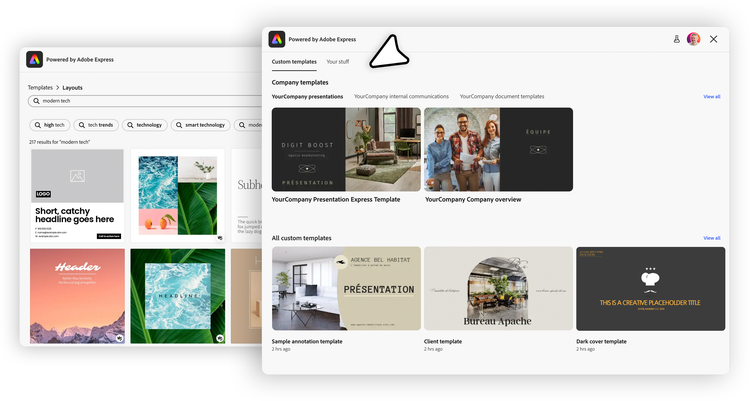
Template Browser v2 is a version-gated upgrade to the existing Start From Content module. It replaces the single-surface browse/preview experience with a tabbed Template Browser that surfaces multiple content sources for authenticated end-users: their Custom Templates and Your Stuff (Files, Projects, etc.). V1 keeps working unchanged, as v2 is opt-in.
data-slots=header, text
data-variant=warning
Authenticated end-users only
Version comparison
contentBrowseConfigexpressTemplateslaunchMode: 'preview')How to enable v2
Set the new version property to "2" on the StartFromContentAppConfig object. With no further configuration, partners get both tabs in their default order with the standard Create button.
await import("https://cc-embed.adobe.com/sdk/v4/CCEverywhere.js");

const { module } = await window.CCEverywhere.initialize(
  { clientId: "your-client-id", appName: "your-app-name" },
  {},
);

module.startFromContent({
  version: "2", // 👈 Enable the new experience
  // use "1" for the old experience (the default when omitted)
});
That's it for the minimal opt-in. Everything else discussed below is optional customization.
Tabbed interface
Custom Templates
The Custom Templates tab surfaces the templates available to the authenticated user, with Admin-approved organizational templates shown first. Selecting View all exposes both the Admin-approved set and the wider set of custom templates available to that user.
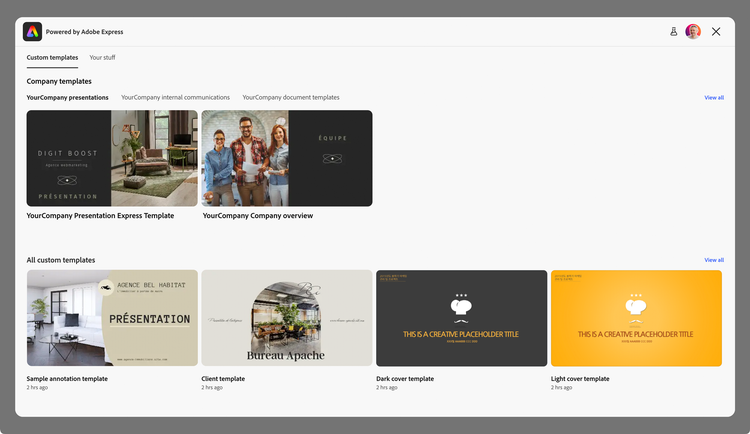
When a user selects a custom template they don't own, they land in the Full Editor in Quick Replace mode, with the template's locked elements preserved—the brand-safe reuse path for Enterprise integrations.
Your Stuff
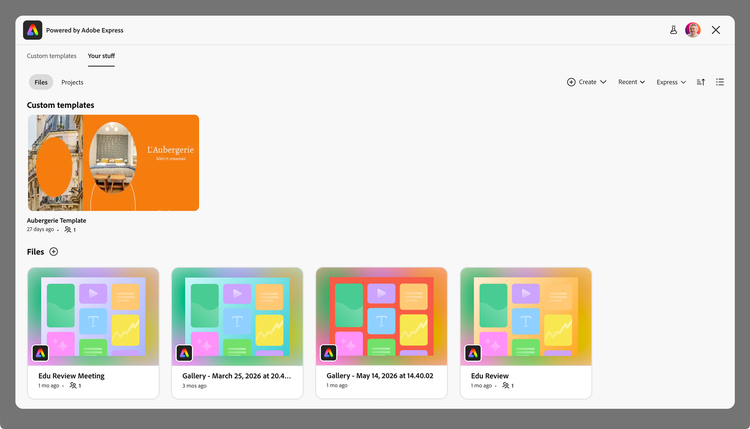
The Your Stuff tab surfaces the user's own files, projects, and favorites. Selecting a file opens it in the Full Editor.
Defaults in this release:
- View: Yours, shared with you, or recent.
- Filter: Express files (filters for Images, Video, and Audio are disabled in this release).
- Sort: By modified, created, last opened, or name.
- Layout: Tile or list view.
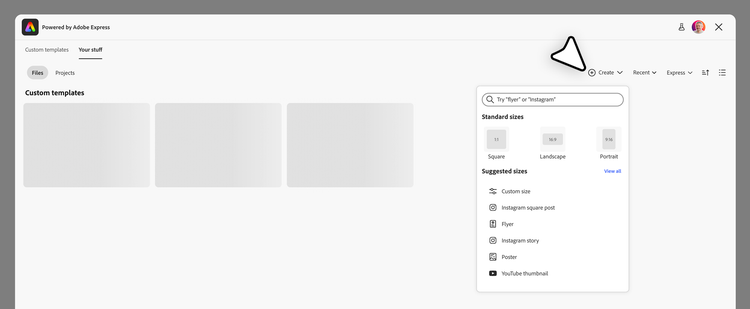
The Your Stuff tab also exposes a Create button for starting a new design. By default it opens the full Express Create menu (standard sizes, suggested sizes, search, custom size); partners can skip the menu and open directly into a pre-sized canvas via createConfig.
Configuring templatesHomeConfig
All v2 customization lives on a new templatesHomeConfig object on StartFromContentAppConfig. It has two optional fields:
interface TemplatesHomeConfig {
  tabs?: TemplatesHomeTab[]; // tabs to show, in display order
  createConfig?: CreateConfig; // Create button behavior (Your Stuff tab)
}

type TemplatesHomeTab = "customTemplates" | "yourStuff";

interface CreateConfig {
  defaultCanvasSize?: { width: number; height: number };
  unit?: sizeUnit; // "px" | "in" | "cm" | "mm"
}
Customizing tab order
The tabs array controls which tabs appear and the order in which they're displayed. The array's order is the tab display order, and the first tab in the array is selected on load.
// Default: both tabs, Custom Templates selected on load.
module.startFromContent({ version: "2" });

// Your Stuff first and selected on load.
module.startFromContent({
  version: "2",
  templatesHomeConfig: {
    tabs: ["yourStuff", "customTemplates"],
  },
});

// Single-tab mode: Custom Templates only.
module.startFromContent({
  version: "2",
  templatesHomeConfig: {
    tabs: ["customTemplates"],
  },
});
Configuring the Create button
By default the Create button on the Your Stuff tab opens the full Express Create menu (standard sizes, suggested sizes, search, custom size). Pass createConfig.defaultCanvasSize to skip the menu and open a blank canvas directly at the given size.
module.startFromContent({
  version: "2",
  templatesHomeConfig: {
    tabs: ["yourStuff", "customTemplates"],
    createConfig: {
      defaultCanvasSize: { width: 1080, height: 1080 },
    },
  },
});
Omitting createConfig (or omitting defaultCanvasSize within it) keeps the standard Express Create menu.
Validation rules
The SDK validates the v2 configuration at launch time and rejects combinations that mix v1 and v2 surfaces. For example:
version: "2" together with contentBrowseConfig.launchMode: 'preview'version absent or "1" together with templatesHomeConfigtemplatesHomeConfig is v2 only.tabs array contains values other than 'customTemplates' or 'yourStuff'defaultCanvasSize.width or height ≤ 0Differences from v1
There is no in-place migration from v1 to v2: v2 is a different configuration field selected by a different top-level flag. Partners on v1 can take no action. Partners adopting v2 are making a deliberate UX decision—moving from public-collection browsing to user-authenticated tabs.
contentBrowseConfigis ignored whenversion: "2"is set. It will be reused for public templates in a future release.- Collection IDs (URNs) and
shortcutPillTerms,searchQuery,hideSearchBar,hideFilters,headerTextare v1 concepts that do not apply to v2 in this release. - Preview mode (
launchMode: 'preview') is v1-only. - Authentication is required for v2 and not for v1.
Related Resources
- Template Browser (v1) — the original Start From Content surface for public Adobe collections.
- Start From Content module API
StartFromContentAppConfig