Hackathon Resources
Build an Adobe Express Add-on… fast! This page contains a curated list of resources to help you build and ship an Add-on quickly.
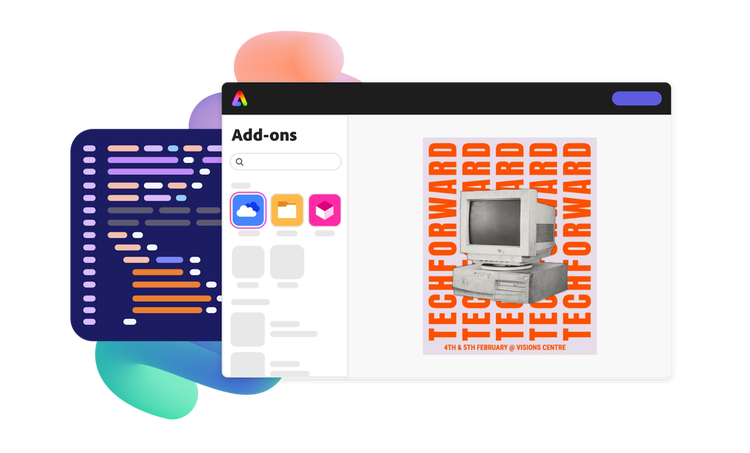
Build an Adobe Express Add-on… fast! This page contains a curated list of resources to help you build and ship an Add-on quickly.
Feeling stuck? Get help in the hackathons Discord channel: #add-on-hackathons
Adobe Express is the “quick and easy create-anything app”, where users create videos, images, social posts, flyers, and more (...with help from add-ons).
📖 Read → Express Overview or What’s New from Help Center
📺 Watch → Videos from Learn Adobe Express
Add-ons are powerful tools that extend Express with new capabilities and workflows. Users install add-ons from the marketplace and use them while editing a file in Express.
📖 Read → Add-ons Overview from Help Center
Express Add-ons are mini web applications running in a sandboxed iFrame. When a user opens or interacts with an Add-on, the app can read or write to the Express document.
📖 Read → Discover learning paths and grow foundational knowledge on the Add-ons Overview page of documentation.
📖 Read → Learn how platform features map to common use cases in the How-to guides.
After development mode is enabled, there are two approaches to running custom code in Express:
🌐 Online – in the browser
Use the Code Playground to run custom code in the browser directly in Express. No setup needed – great for exploring features, tinkering with UI, or small pieces of logic to build into your add-on.
💻 Local – in your IDE
Sideload your add-on in Express to preview the add-on running from a local code base. This allows developers to test their add-on while they build it, interacting with it as an Express user would.
For first steps, we recommend working through the Developer Journey or Hello World guide (or both). Developers using AI-assisted code editors should also set up the Adobe Express Add-on MCP Server.
✨ Frontend → Add-ons with great user experience (UX) perform better with users. The UX Guidelines can help build an Add-on UI that delights users and the Spectrum library can be used to style an Add-on to feel like a native part of Express.
🛠️ Backend → Add-ons interact with the Express document using an API. Many powerful features are exposed in the Add-on UI SDK, but the Document APIs expose lower-level tools if you need more flexibility.
The Code Samples provide pre-built, working Add-on examples that combine both frontend and backend concepts.
Use the following resources to gain a deeper understanding of add-on development and build more valuable add-ons:
📖🧠 Read → Discover the latest and greatest features in the Changelog.
📖🛝 Read, Tinker → Full of practical instructions and code samples, the How To section demonstrates how features work together to accomplish specific tasks.
📖🚀 Read → Express users prefer add-ons with good Performance and thoughtful use of Visual Elements.
📖🏖️ Read → Understand the Add-on’s “sandbox” and what those boundaries mean to a web application running in Express by learning about the iFrame Context and Communication APIs.
The ability to unblock yourself is an essential hackathon skill, but so is knowing when to ask for help.
🐛 For troubleshooting, review the Debug guides and Add-on FAQs. The Code Playground can help isolate and work through specific issues.
💬 For questions during the hackathon, use the #add-on-hackathons channel in the Express Discord.
📺💬 For non-time-sensitive questions, Express Office Hours is a great place to discuss them and get hands-on help.
Express Add-ons have the power to shape the future of content creation, but we need your help to build them. Thank you for participating!
“What Add-on should I build?”
Before considering our suggestions, we encourage you to be creative and try to think of your own ideas first.
Some ideas:
- Data visualization tools that add charts, infographics, or other interesting visuals.
- Automating tasks and workflows, especially by connecting with other systems.
- Use generative AI to create new visual elements well-suited for a specific use case for Express.
- Use assisted AI to improve a user’s experience in Express, like rewriting text in different tones.
- Education focused Add-ons. College? K-12? Teachers or students?
- Managed approval workflows on creative deliverables, enabling comments and iteration
- Add-ons that unlock new features in a specific type of content, like image, video, or presentation.
- Add-ons using the newest platform features
See what others have built
Browse the Add-on Marketplace to see what’s already there, missing, or could be better. Some Add-ons, like marketplace samples, are open-sourced and allow users to peak under the hood.
🏅Winning Add-ons from past hackathons:
MathTyper - converts complex math expressions into images to use in designs.
Watermarker - generate and apply a customized watermark to your page in Express.
Giggle Gear - streamlined meme builder with bonus AI features.
Version Control - enhanced saving, organizing, and reverting between design changes.
Brainrot - a sassy, clever design feedback tool.
Accessify - shows how a design looks with different visual impairments.
(^^ note that many new features have been unlocked for Add-ons since these past hackathons.)
Congratulations on making it to the end of your event! Use a private link to distribute your Add-on during judging (if required). Celebrate your efforts – add the project to your portfolio page, resume, or LinkedIn profile.
💰Want to get paid to finish building Add-on and launch it in the marketplace? Submit your Add-on idea to the Adobe Fund for Design. If selected, developers receive a grant to finish building their Add-on and release it in production. All hackathon participants can apply.

💻 Repo: express-add-on-samples
📖 Docs: MCP Server
📖 Docs: Completed Project Tutorials

💻 Repo: Hackathon helpers
💬 Discord: #add-on-hackathons
📖 Docs: Create Private Link
💰: Adobe Fund for Design
Monthly updates about the Express platform