Setting up Firefly Services Events for Photoshop and Lightroom with Adobe I/O Events
These instructions describe how to set up and get started using Adobe I/O Events for Firefly Services for Photoshop and Lightroom job processing events. You can use Adobe I/O for streaming Firefly Services job processing events such as job creation, processing, completion, and failure status updates.
Introduction
Firefly Services events provide comprehensive job processing details, similar to those shown in the status calls of Firefly Services APIs. However, Firefly Services events are more comprehensive and real-time, unlike the status calls which only include basic status information.
Firefly Services events provide detailed information about:
- Job Lifecycle Events - Complete job processing workflow from creation to completion
- Success Events - Detailed success information including job outputs and results
- Failure Events - Comprehensive error details and failure reasons
- Real-time Updates - Immediate event notifications as jobs progress
Setup Adobe I/O
See Getting Started with Adobe I/O Events
For basic instructions for this use case, starting from developer.adobe.com/console:
When prompted, click the designated button to proceed:
-
Select
Create new project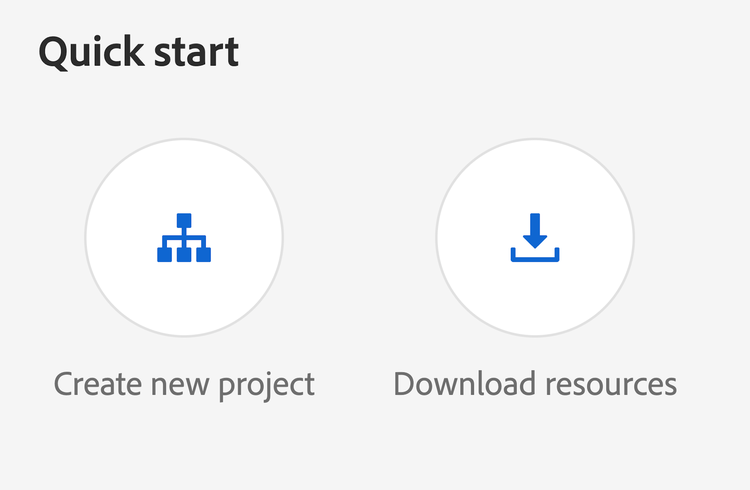
-
Select
Add event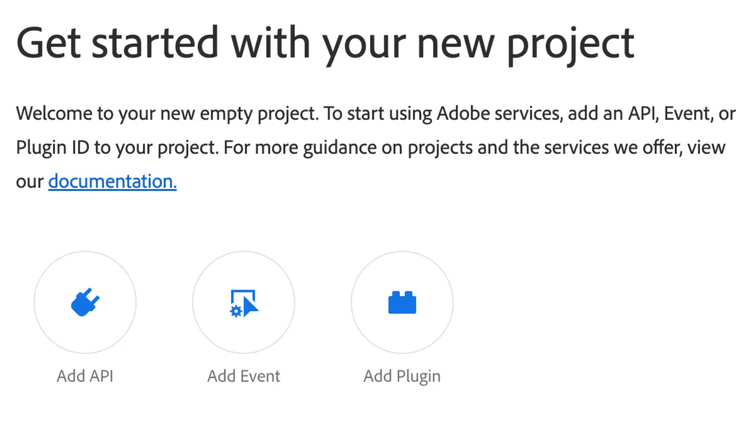
-
Filter by
Creative CloudFilter Selection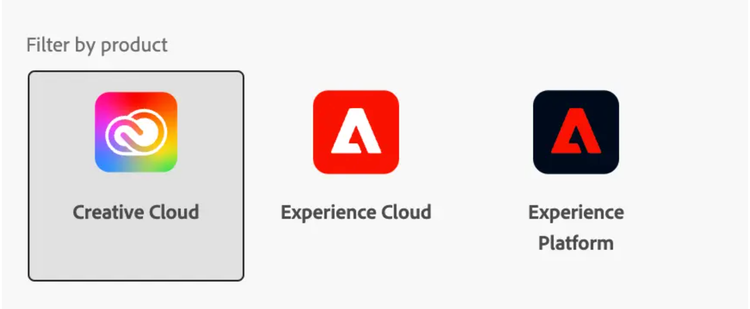
-
Select
Select Firefly Services Events for Photoshop and Lightroom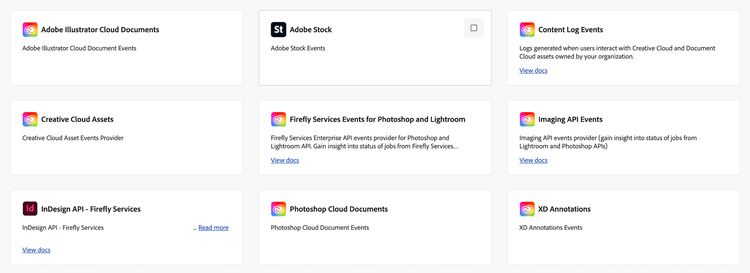
-
Subscribe to the job processing events of your choosing
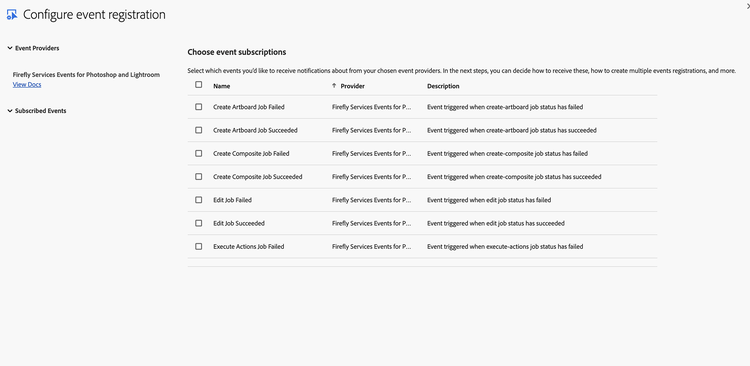
-
Set up OAuth Server-to-Server Credentials.
- The OAuth Server-to-Server credential relies on the OAuth 2.0 client_credentials grant type to generate access tokens.
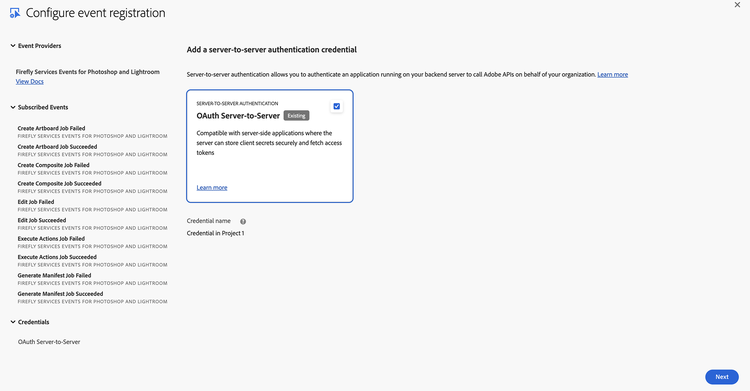
- The OAuth Server-to-Server credential relies on the OAuth 2.0 client_credentials grant type to generate access tokens.
-
Set up Event Registration
- Provide a name and description for this event subscription
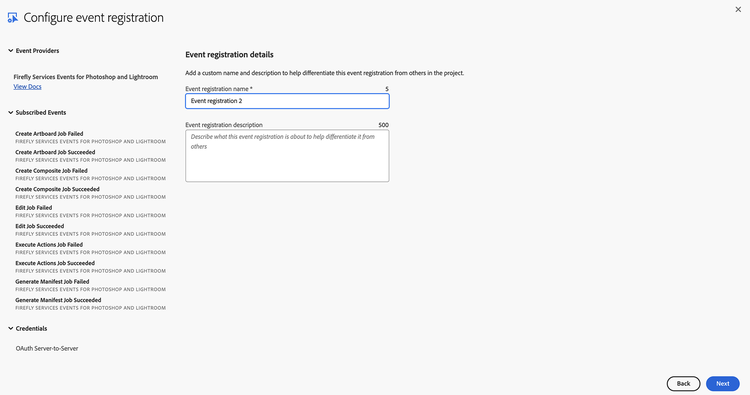
- Provide a name and description for this event subscription
-
Configure Event Registration
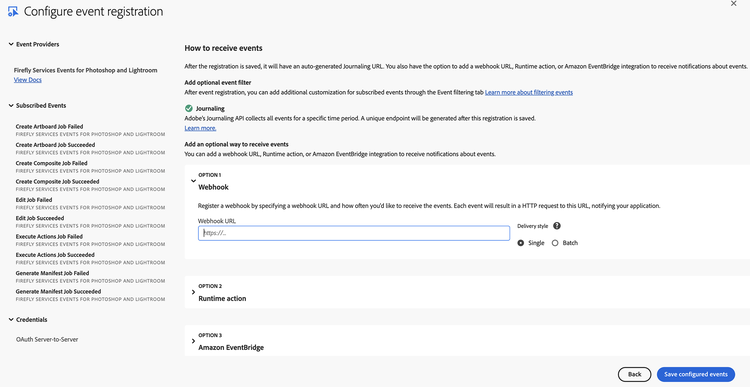
-
Optionally choose whether to enable Webhook or Runtime action
-
Enable Webhook
- We recommend batch over single webhooks
- For
Webhook URLa public https endpoint must be provided - The endpoint must be able to handle get and post requests
- The get request must respond with the challenge query if it exists
- The post request must respond that it received the message or the webhook will re-attempt to send several times before giving up and automatically disabling the webhook sends
-
Enable Runtime action
- See Setting up your Runtime Environment
- Select a pre-made runtime action/runtime namespace
-
After Saving
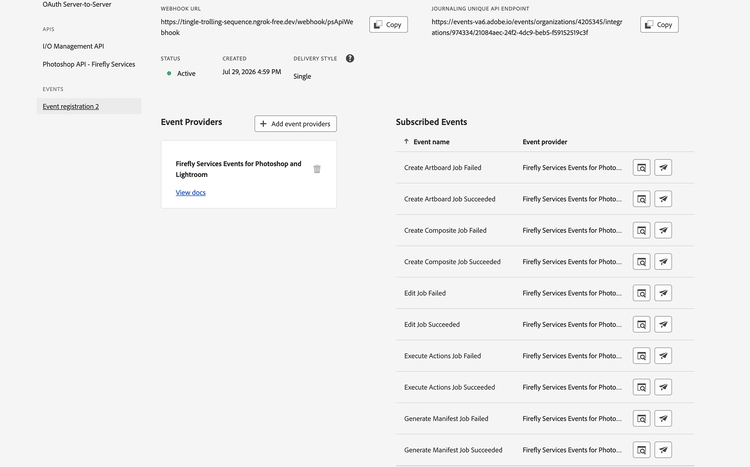
-
Verify setup
- Verify that the Status is
Active - If Webhook was selected, verify that it successfully passed the challenge without errors
- Verify that the Status is
-
Event Data Structure
Events are structured in JSON format using the CloudEvents spec
Example Event (Success):
{
  "specversion": "1.0",
  "type": "com.adobe.photoshop-api.v2.generate-manifest.success",
  "source": "urn:aio_provider_metadata:cc_ffs_ps_job_status",
  "id": "7e3a89ce-d1f5-4b55-a9fc-682e3ac535e2",
  "time": "2025-01-20T10:40:00Z",
  "datacontenttype": "application/json",
  "requestorclientid": "cis_services",
  "adobeinternal": {
    "imsOrg": "36E3670466D07CD10A49422F@AdobeOrg"
  },
  "data": {
    "jobId": "ad746e92-8991-69h3-ce4c-eg15e45d5h7h",
    "status": "succeeded",
    "createdTime": "2025-01-20T10:35:00Z",
    "modifiedTime": "2025-01-20T10:40:00Z"
  }
}
Example Event (Error):
{
  "specversion": "1.0",
  "type": "com.adobe.photoshop-api.v2.create-composite.failed",
  "source": "urn:aio_provider_metadata:cc_ffs_ps_job_status",
  "id": "70b8efcb-38f2-4781-84ee-036013d3f5bc",
  "time": "2025-01-20T10:35:00Z",
  "datacontenttype": "application/json",
  "requestorclientid": "cis_services",
  "adobeinternal": {
    "imsOrg": "36E3670466D07CD10A49422F@AdobeOrg"
  },
  "data": {
    "jobId": "9c635d81-7880-58g2-bd3b-df04d34c4g6g",
    "status": "failed",
    "createdTime": "2025-01-20T10:30:00Z",
    "modifiedTime": "2025-01-20T10:35:00Z",
    "errorDetails": [
      {
        "error_code": "failed",
        "message": "Failed to process the composite image"
      }
    ]
  }
}
Data Field Definitions:
specversiontypesourceidtimedatacontenttyperequestorclientidadobeinternaldatadata.jobIddata.statusdata.createdTimedata.modifiedTimedata.resultdata.result.outputsdata.errorDetailsEvent List
Note - This is a snapshot listing of all available events for Firefly Services for Photoshop and Lightroom.
com.adobe.photoshop-api.v2.create-artboard.successcom.adobe.photoshop-api.v2.create-artboard.failedcom.adobe.photoshop-api.v2.create-composite.successcom.adobe.photoshop-api.v2.create-composite.failedcom.adobe.photoshop-api.v2.generate-manifest.successcom.adobe.photoshop-api.v2.generate-manifest.failedcom.adobe.photoshop-api.v2.edit.successcom.adobe.photoshop-api.v2.edit.failedcom.adobe.photoshop-api.v2.execute-actions.successcom.adobe.photoshop-api.v2.execute-actions.failedEvent Filtering
You can filter events based on:
- Event Type: Subscribe to specific event types (e.g., only success events)
- Job ID: Filter by specific job identifiers
- Status: Filter by job status (succeeded/failed)
- Request Type: Filter by operation type (create-artboard, create-composite, generate-manifest, edit, execute-actions)
Error Handling
Common Error Scenarios
- Network Issues: Implement retry logic with exponential backoff
- Message Processing Failures: Use dead letter queues for failed messages
- Schema Validation Errors: Log and skip malformed messages
- Consumer Lag: Monitor consumer lag and scale consumers as needed
Troubleshooting
Webhook Issues
- Verify webhook URL is publicly accessible
- Check Adobe I/O Console event registration status
- Ensure webhook endpoint returns 200 OK
- Check webhook signature verification
- Verify event types are correctly selected
Support and Resources
- Adobe I/O Events Documentation: https://developer.adobe.com/events/docs/guides/
- Firefly Services Documentation: https://developer.adobe.com/firefly-services/docs/photoshop/
- CloudEvents Specification: https://cloudevents.io/
- Kafka Documentation: https://kafka.apache.org/documentation/
Contact
For technical support or questions about Firefly Services Events for Photoshop and Lightroom, please contact the Adobe Developer Support team.
Last Updated: July 2026 Version: 1.0 Provider: Firefly Services Events for Photoshop and Lightroom