sp-radio-group
Since: UXP v4.1
Renders a group of radio buttons horizontally or vertically (column layout), with an optional field label.
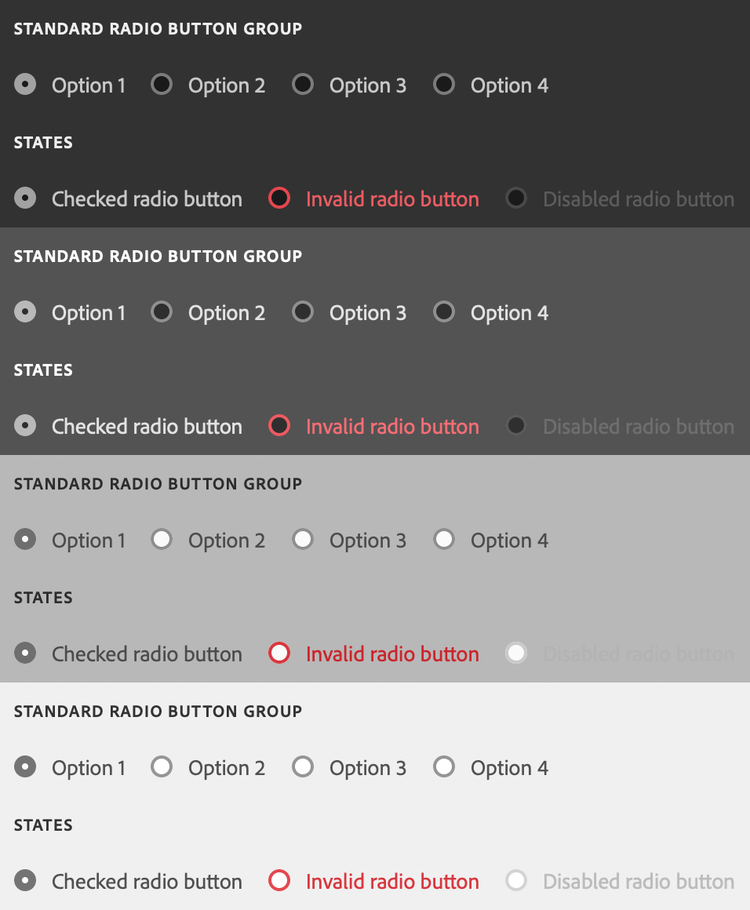
See:
- https://spectrum.adobe.com/page/radio-button/
- https://opensource.adobe.com/spectrum-web-components/components/radio
Example
<sp-radio-group>
    <sp-label slot="label">Select a product:</sp-label>
    <sp-radio value="ps">Adobe Photoshop</sp-radio>
    <sp-radio value="xd">Adobe XD</sp-radio>
</sp-radio-group>
Layout
By default, radio groups are laid out horizontally. If you add the column attribute, the radio group will be laid out vertically.
<sp-radio-group column>
    <sp-radio value="ps">Adobe Photoshop</sp-radio>
    <sp-radio value="xd">Adobe XD</sp-radio>
</sp-radio-group>
Responding to events
You can respond to changes in the radio group using the change event.
document.querySelector(".yourRadioGroup").addEventListener("change", evt => {
    console.log(`Selected item: ${evt.target.value}`);
})