Cancel an order
Cancellation of Orders can be done through either the Portal or through Postman. Attempts to cancel an order more than 14 days after its creation are rejected.
Cancelling an order will update the subscriptions associated with the Order as follows:
- Subscription quantity will be lowered by the quantity of the associated Order line item.
- Subscriptions that only have licenses from this Order will also change to status 1004 (inactive) after the quantity is set to zero.
- Subscription quantity and status updates may take some time after the order is cancelled. Poll the subscription to retrieve the updated quantity and status.
- The
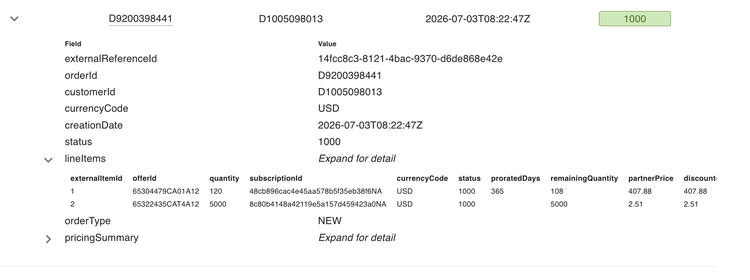
quantityfield at the lineItem level indicates the original quantity placed on the order. - The
remainingQuantityfield at the lineItem-level indicates the quantity that is still available for return in NEW and RENEWAL orders.
Note: Both full order cancellations and partial returns are allowed.
You can cancel orders through the Portal by changing the order status to 1008 – Cancelled. For information about changing an order's status, see Editing the Order Status and Creation Date (Portal Only).
For more information on cancellation and partial returns, see Return or cancellation of order.