Create a reseller
To create a default reseller, perform the following steps:
- Navigate to the API Tools tab in the portal. The Create Default Records page is displayed.
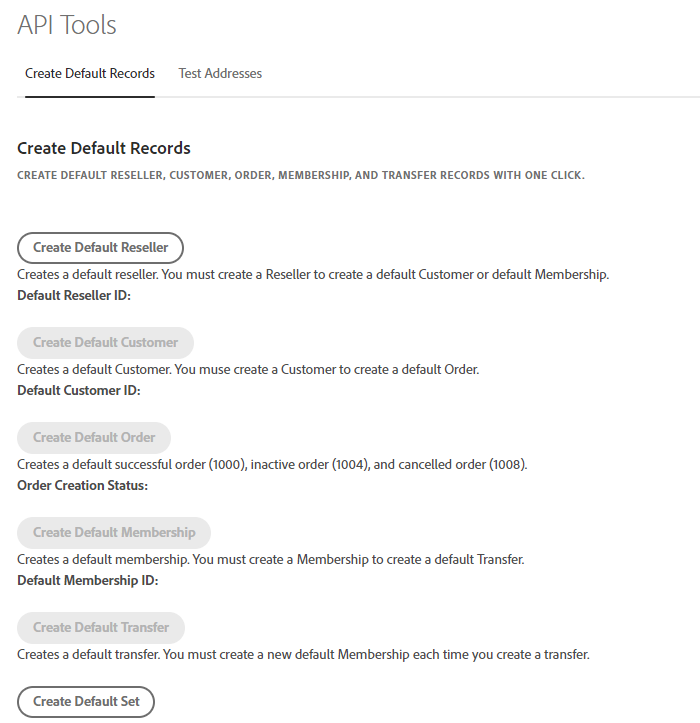
- Create a default reseller by clicking on the Create Default Reseller button. <br /> or <br />
- Create a default set of records by clicking on the Create Default Set button, which includes a reseller, a customer, an order, a membership, and a transfer.
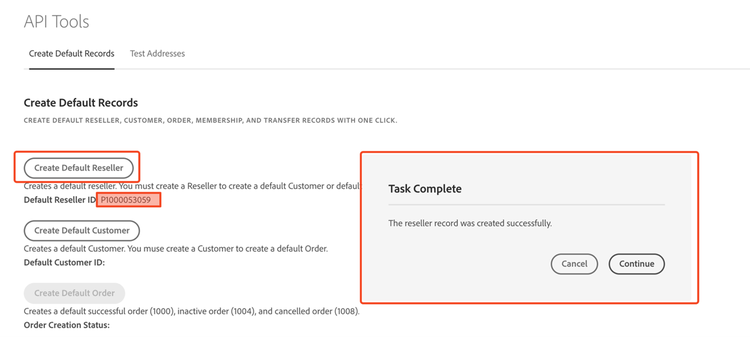
When a default reseller has been successfully created, a confirmation message will be displayed, and a Default Reseller ID will be assigned, as shown in the following figure: