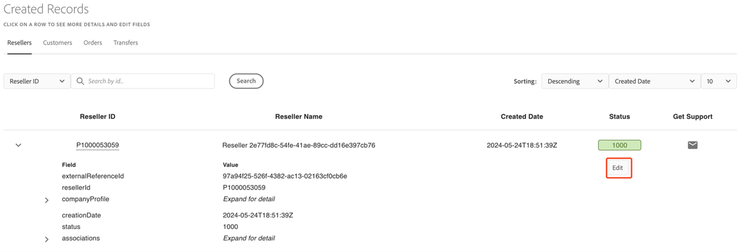
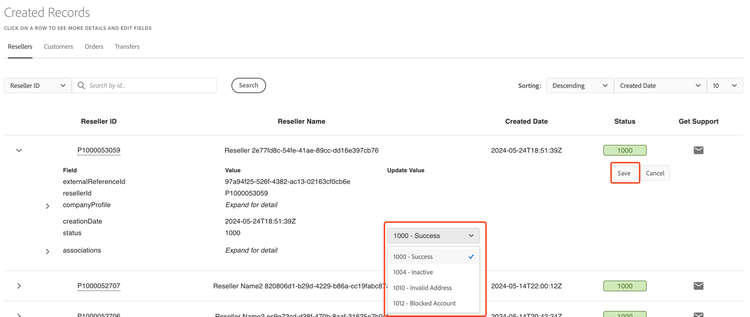
Edit reseller status
A reseller can have one of four statuses, each designated by a four-digit number:
- 1000 - Success (default)
- 1004 - Inactive
- 1010 - Invalid Address
- 1012 - Blocked Account
Complete the following steps to edit a reseller's status:
- Go to the Manage Records tab in the Sandbox UI.
- Select Reseller. The status of a reseller is displayed in the Status column.