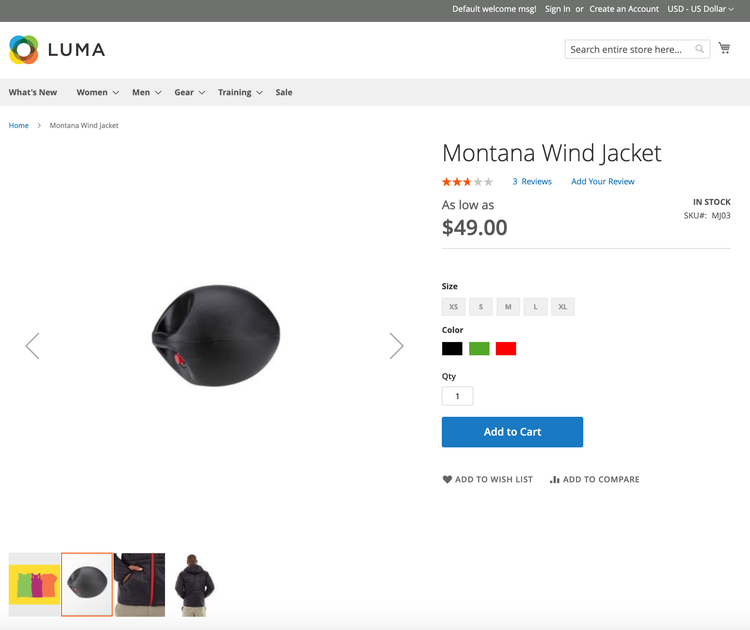
Step 3. Update an image
In this step, we will update an existing image with the id of 694. We previously retrieved this id number in Step 1. Getting a list of product images.
data-variant=info
data-slots=text
The
id on the sample data images might not match the id listed in this tutorial, refer back to the list call for information on how to get a list of images for a SKU.-
Using the following image, open a bash terminal and convert the image into
base64: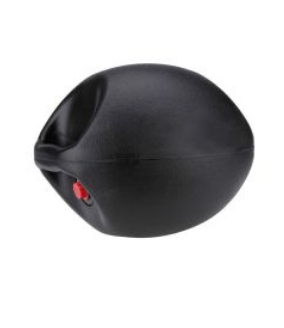
Command:
base64 -i ~/update-new-image.pngResponse:
iVBORw0KGgoAAAANSUhEUgAAARwAAAFICAYAAACC60EBAAAKrGlDQ1BJQ0MgUHJvZmlsZQAASImVlwdUU8kax+fem16AkBABKaE3QToBpITQQpcONkISIJQQA0HFriwu4FpQEcGKLooouBZA1oootkWxANYNsqgo62LBhsq7wCG4+85777zvnDnzu//7zTffzJm557sAUNX4UmkmrAZAliRXFhngw4pPSGThnwIyIAIacAYIX5Aj5....[more characters] -
Make the following API call using the
base64-encodedstring.
Endpoint:
PUT http://domain.com/rest/default/V1/products/MJ03/media/694
data-slots=heading, code
data-repeat=2
data-languages=JSON, JSON
Payload
{
    "entry": {
        "id": 694,
        "media_type": "image",
        "label": "Custom Image Number 2",
        "position": 1,
        "disabled": false,
        "types": [
            "image",
            "small_image",
            "thumbnail"
        ],
        "content": {
            "base64_encoded_data": "iVBORw0KGgoAAAANSUhEUgAAARwAAAFICAYAAACC60EBAAAKrGlDQ1BJQ0MgUHJvZmlsZQAASImVlwdUU8kax+fem16AkBABKaE3QToBpITQQpcONkISIJQQA0HFriwu4FpQEcGKLooouBZA1oootkWxANYNsqgo62LBhsq7wCG4+85777zvnDnzu//7zTffzJm557sAUNX4UmkmrAZAliRXFhngw4pPSGThnwIyIAIacAYIX5Aj5UREhADUJvq/2/tOAI32t61HY/37+/9qNKEoRwAAFIFysjBHkIXycbS9EEhluQAgu1HdaEGudJRbUWbI0ARR7h7l1HEeGOXkMcaAMZ/oSC7KDAAIFD5flgoAhYXqrDxBKhqH4o2yrUQolqAsRdkzKytbiPIRlM1RH1SjjMZnJ38XJ/VvMZOVMfn8VCWPr2XMCL7iHGkmf9H/uR3/27Iy5RNzmKKNkiYLjER7dXTPujOyg5UsSQ4Ln2CxcMx/jNPkgTETLMjhJk6wkO8brBybGRYywSlif54yTi4veoJFOX5REyzLjlTOlSLjciaYL5ucV54Ro9TTRDxl/Py06LgJzhPHhk1wTkZU8KQPV6nL5JHK/EWSAJ/Jef2Va8/K+W69Yp5ybG5adKBy7fzJ/EUSzmTMnHhlbkKRr9+kT4zSX5rro5xLmhmh9BdlBij1nLwo5dhc9EBOjo1Q7mE6PyhiggEXZINMtMkAC4SgT74A5IoW5o4uhJstXSQTp6blsjjoDROxeBKBzTSWva29PQCj93X8OLxljt1DiHl1UstqQo8xgt6RokkteRAAVAa01knN1BoA1a8AnFYI5LK8cW3sLmEBCagCBtACesAImANrYI9....[more characters]",
            "type": "image/png",
            "name": "custom_image_2.png"
        }
    }
}
Response
true
The request might take 30 seconds or so depending on the host.
Verify this step
Refresh the MJ03 product page and see if the existing image was updated.