Mobile Web Overview
Learn how developers can use the Adobe Express Embed SDK on mobile devices to integrate creative workflows into their apps.
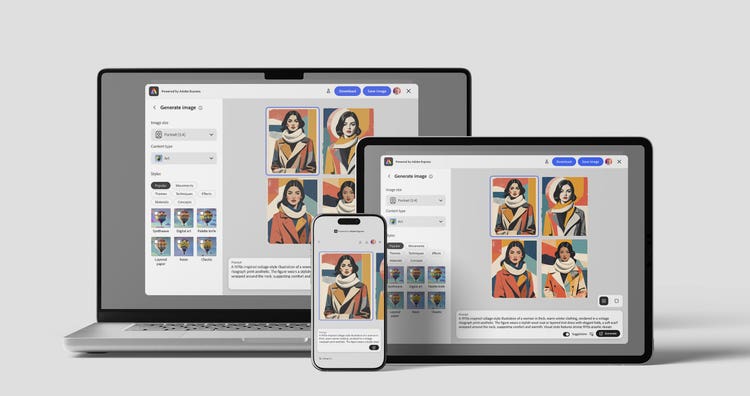
Devices and Runtimes
The Embed SDK can run on both Desktop and Mobile devices alike. Developers can choose to implement the SDK in different ways:
A Web experience can be accessed on both Desktop and Mobile devices through a browser (1, 2). The same exact Web experience can also be consumed by iOS/Android Mobile apps (3) when loaded into a WebView. Native iOS/Android Mobile apps can alternatively use the dedicated Mobile SDKs (4), available for Swift and Kotlin.
This set of guides will focus on the Web experience (1-3), so that your integration can work seamlessly on smartphones, tablets, and other mobile devices.
What is Mobile Web?
Mobile Web (mWeb) refers to the Embed SDK Web experience on mobile devices, accessed either through a mobile browser or within iOS and Android apps that load the experience in a WebView.
A WebView is a native component that renders Web content inside Mobile Apps, allowing users to interact with Web experiences without leaving the application. Think about it as a browser without the browser's UI.
Mobile Web vs. Mobile SDKs
Both approaches bring Embed SDK workflows to iOS/Android, but they have different trade-offs.
-
Mobile Web
- Pros: one web codebase, fast iteration, good for cross-platform parity.
- Cons: more browser/WebView variability (performance, UX), platform-specific quirks.
-
Mobile SDKs
- Pros: best mobile UX and more predictable behavior.
- Cons: the Mobile SDKs are currently in beta and may not cover all Embed SDK features yet.
data-slots=header, text
data-variant=info
Known Limitations
Mobile Web on iOS devices only supports Generate Image and Edit Image modules.
Read Next
- Mobile Web in the Browser
- Mobile Web in a WebView
- Mobile Web Tutorial, an end-to-end tutorial featuring Web, Android, and iOS sample projects.