data-slots=fullWidthBackground, image, heading, text, buttons
data-variant=halfWidth
data-textColor=white
data-overGradient=


Adobe for creativity available in Claude
Examples of What You Can Do
data-slots=image, heading, text
data-repeat=3
data-isReversed=true
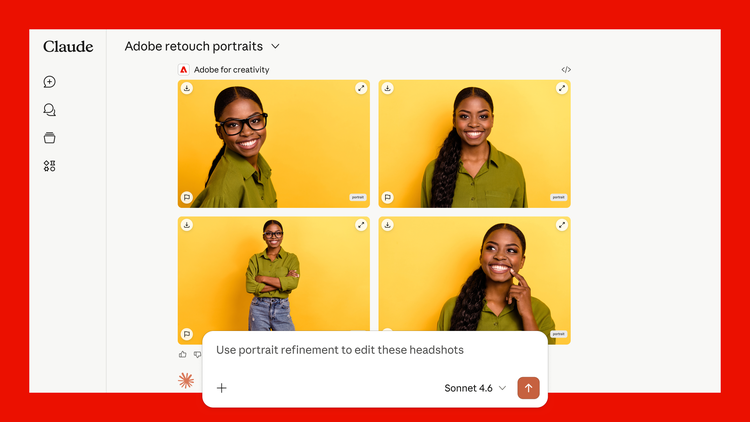
Retouch portraits
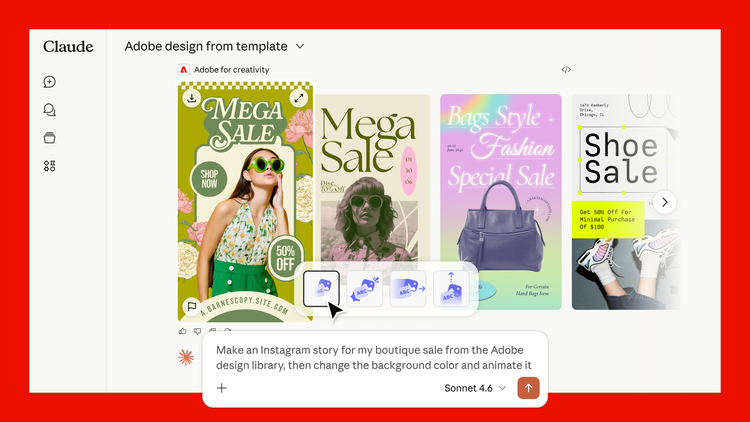
Design from template
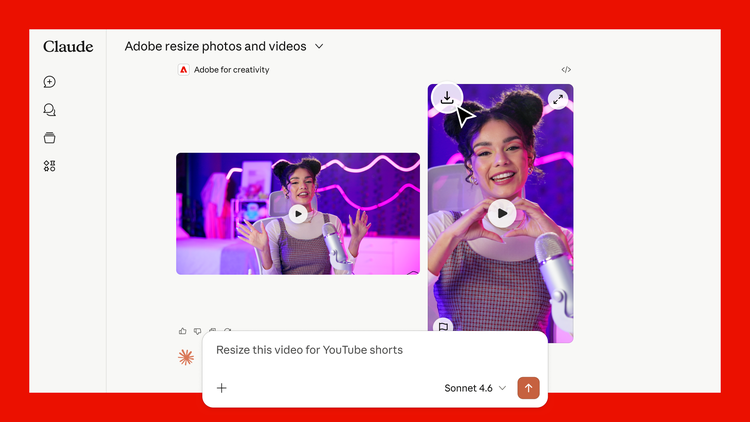
Resize videos for any platform
→ Click here to see more use cases and prompt ideas
Available across Claude
You don’t need an Adobe account to start. Guest users can use free tools included in this MCP right away (about ~40 standard tools), directly in chat. Sign in with a free or paid Adobe account when you want more tools, Creative Cloud storage for your assets, higher usage limits, and continuity across sessions.
The Adobe for creativity connector is available in three places: 🗨️ Claude chat (web & mobile), 🖥️ Cowork (desktop), 💻 Claude Desktop.
data-slots=text
data-variant=info
→ Follow instructions to get started
Continue in Adobe apps
Start in Claude, then take your work further in Adobe apps when you need more control.
Batch edit photos and send them to Firefly Boards to organize and refine. Start a design from a template and continue in Express with full editing capabilities. Or download your assets and pick up where you left off in any Adobe app.
Get help
- Stuck on setup? Have a question? Or want to request a feature? See FAQ & support.