Basic template
A title, a body, and an expanded hero image. The same body text is shown in both the collapsed and expanded states.
How it looks
The expanded notification shows the hero image below the body text. The image scale type controls how the image fills its frame. The following example shows the same portrait image with each scale type:
center_crop (default)fit_center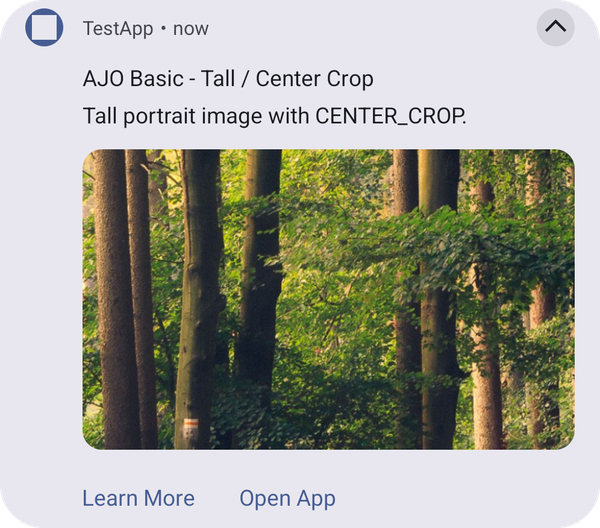
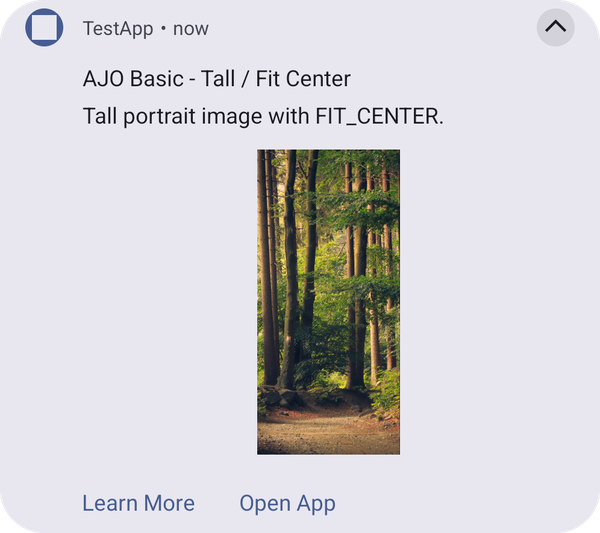
center_cropfills the frame and crops the edges of the image that don't fit.fit_centershows the whole image, scaled down to fit the frame.
Image guidelines
- Use a landscape image so it fills the frame without heavy cropping. Small images look blurry when they are scaled up to fill the frame.
- Animated GIFs show only their first frame.
- If the image can't be downloaded, the notification is shown with its text only.
Configuration
This template is rendered by the UI Builder plugin. To add the plugin to your app, see Add the UI Builder plugin to your app. When the plugin is not added, the push is displayed as a standard notification. See Push templates troubleshooting.
Properties
In addition to the top level keys documented on Push notification payload keys (adb_title, adb_body, adb_icon, adb_sound, adb_channel_id, adb_n_count, adb_n_priority, adb_n_visibility, adb_a_type, adb_uri, adb_act), this template reads:
adb_template_type"ajo_basic".adb_version"1" when absent.adb_imageadb_template_properties.adb_image_scale_typecenter_crop (default) or fit_center.Example
{
   "message":{
      "android":{
         "data":{
            "adb_template_type": "ajo_basic",
            "adb_version": "1",
            "adb_title": "AJO Basic - Center Crop",
            "adb_body": "This image is scaled using CENTER_CROP.",
            "adb_image": "https://example.com/hero.png",
            "adb_icon": "ic_launcher_background",
            "adb_sound": "bells",
            "adb_channel_id": "ajo_basic_channel",
            "adb_n_count": "1",
            "adb_n_priority": "PRIORITY_HIGH",
            "adb_n_visibility": "PUBLIC",
            "adb_a_type": "WEBURL",
            "adb_uri": "https://www.adobe.com",
            "adb_act": "[{\"label\":\"Learn More\",\"uri\":\"https://www.adobe.com\",\"type\":\"WEBURL\"}]",
            "adb_template_properties": "{\"adb_image_scale_type\":\"center_crop\"}"
         }
      }
   }
}
data-variant=info
data-slots=text
adb_template_properties is a JSON-encoded string, like adb_act above, because FCM data messages only allow string values. The object shown inside it ({"adb_image_scale_type": "center_crop"}) is the decoded shape.See also: Big text template, Push templates troubleshooting.