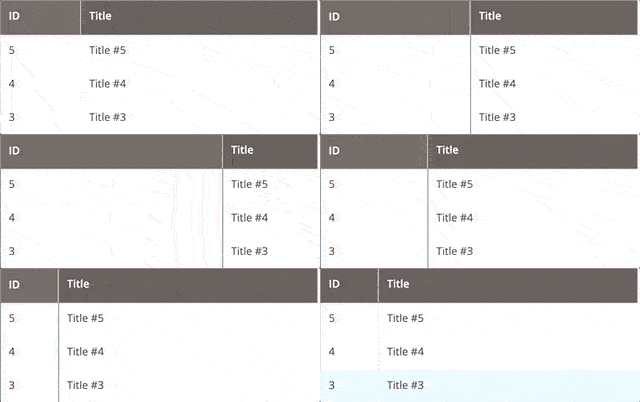
ColumnsResize component
The ColumnsResize UI component is an extension for the Columns component. It provides columns resizing functionality.
Options
Option
Description
Type
Default Value
componentThe path to the component's
.js file, relative to RequireJS.String
Magento_Ui/js/grid/resizerootSelectorThe CSS selector of a table parent element.
String
${ $.columnsProvider }:.admin__data-grid-wraptableSelectorThe CSS selector of a table element. The
columnSelector and fieldSelector are children of the table element.String
${ $.rootSelector } -> table.data-gridmainTableSelectorThe CSS selector of a main table element. The function of automatically resizing columns after changing the screen size is enabled if the
tableSelector element is matched to the main table element.String
[data-role="grid"]columnSelectorThe CSS selector of a table column element.
String
${ $.tableSelector } thead tr thfieldSelectorThe CSS selector of a table field element.
String
${ $.tableSelector } tbody tr tdSources files
Extends UiElement:
Examples
Integration
This is an example of how the ColumnsResize component integrates with the Columns component:
<listing>
    ...
    <columns name="columns">
        <argument name="data" xsi:type="array">
            <item name="config" xsi:type="array">
                <item name="resizeConfig" xsi:type="array">
                    <item name="enabled" xsi:type="boolean">true</item>
                    <item name="component" xsi:type="string">Magento_Ui/js/grid/resize</item>
                    <item name="rootSelector" xsi:type="string">${ $.columnsProvider }:.admin__data-grid-wrap</item>
                    <item name="columnsProvider" xsi:type="string">${ $.name }</item>
                </item>
            </item>
        </argument>
        ...
        <column name="entity_id">
            <settings>
                <label translate="true">ID</label>
            </settings>
        </column>
        <column name="title">
            <settings>
                <label translate="true">Title</label>
            </settings>
        </column>
    </columns>
</listing>
Result